HM Land Registry portal: update a business unit account
How Business e-services customers (Business Unit Administrator role) can update their unit account details through the portal.
Applies to England and Wales
Manage business unit details and change address
.
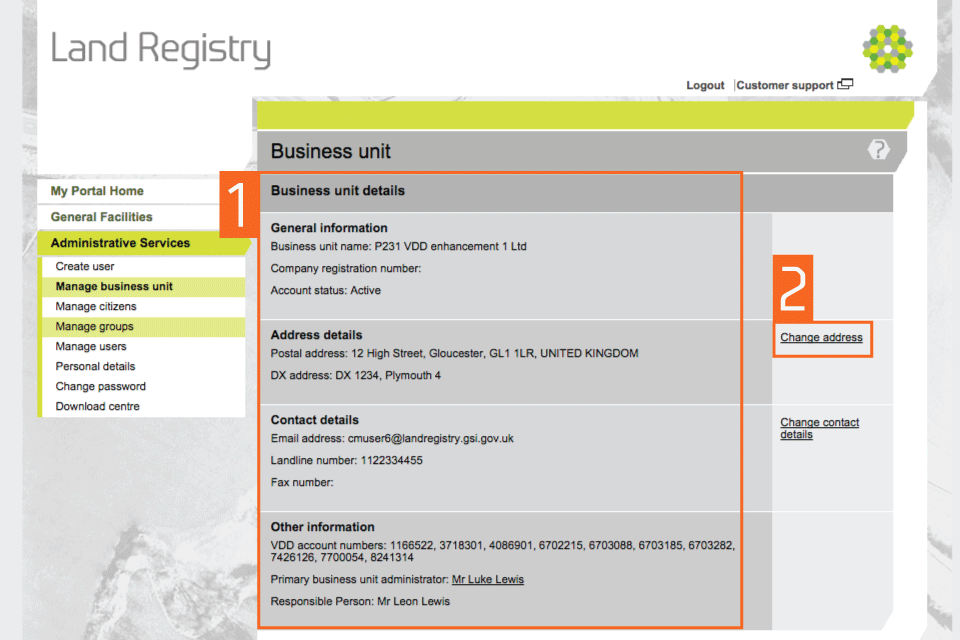
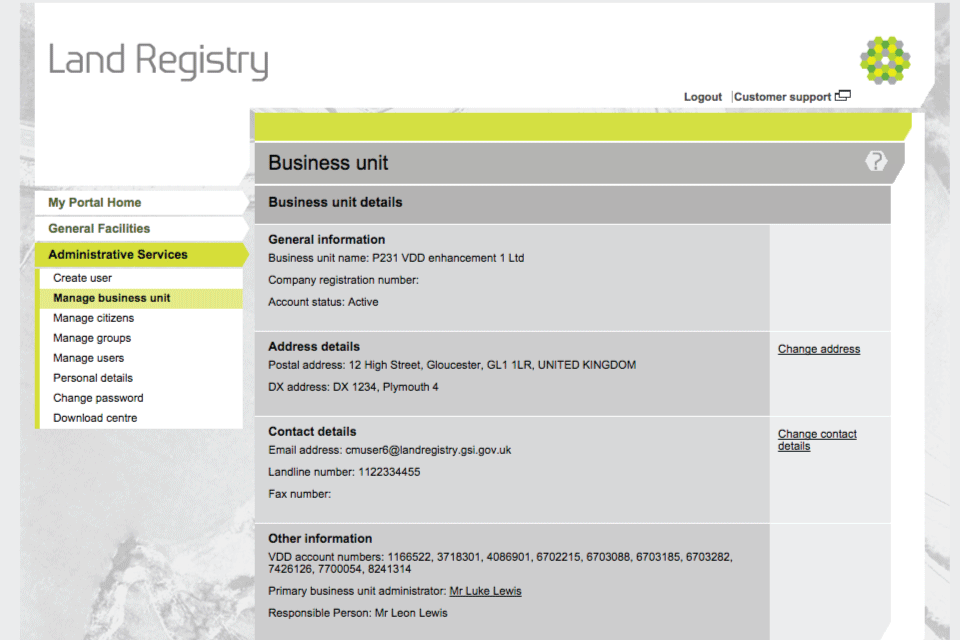
Select ‘Administrative Services’, then ‘Manage business unit’.
- This shows all the details relating to your business unit.
- To change details about the unit, use the links on the right hand side. To change the address details, select ‘Change address’.
Step 2
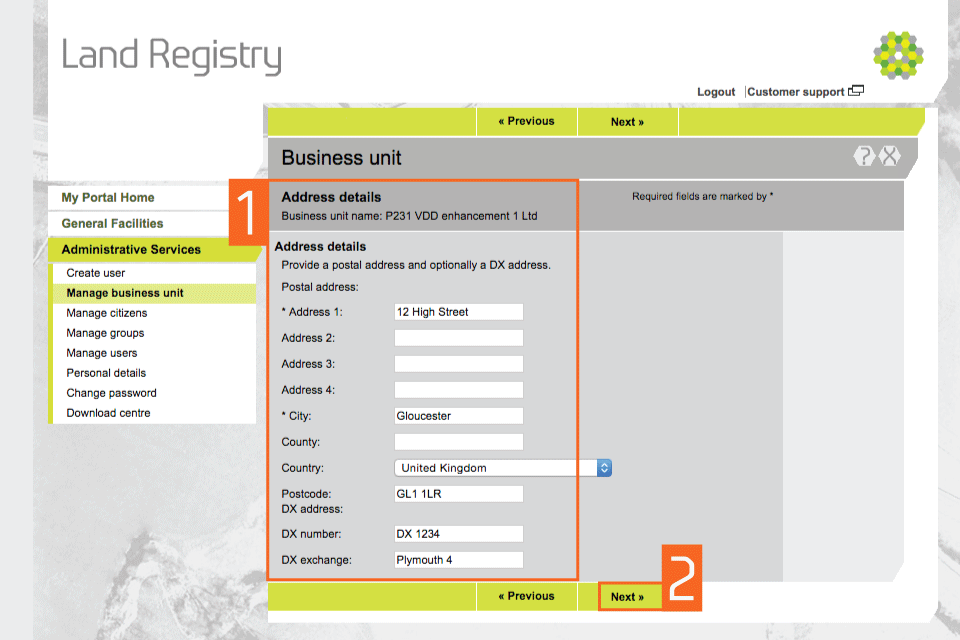
Change address
- You can change a part of the address or the whole address by overwriting the details with new information. You must have at least one postal address and (if it’s in the UK) include a postcode.
- Select ‘Next’.
step 3
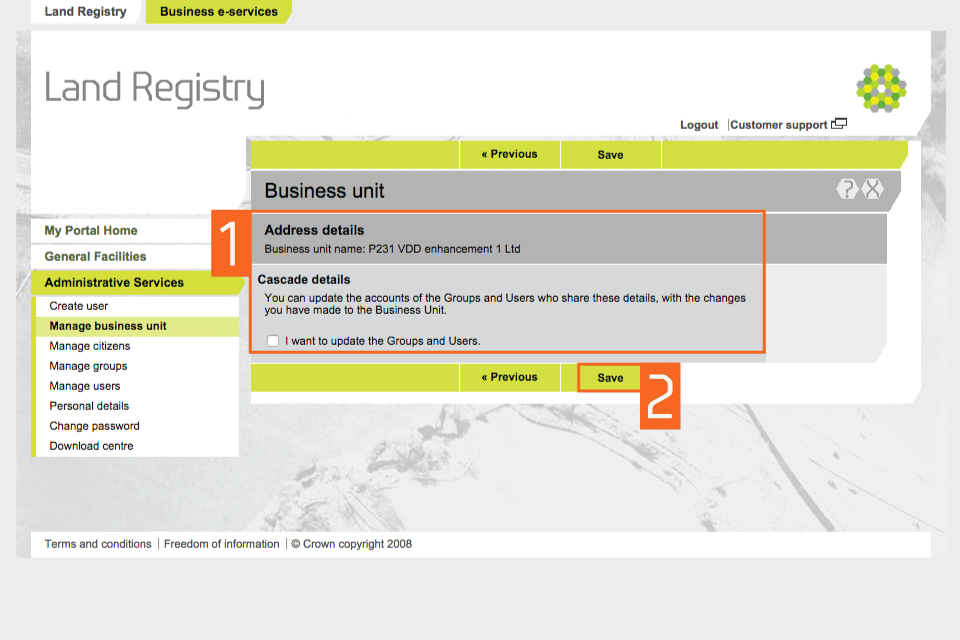
Cascade details
- If any user accounts or groups have the old business address, you can update their details.
- Select ‘Save’.
step 4
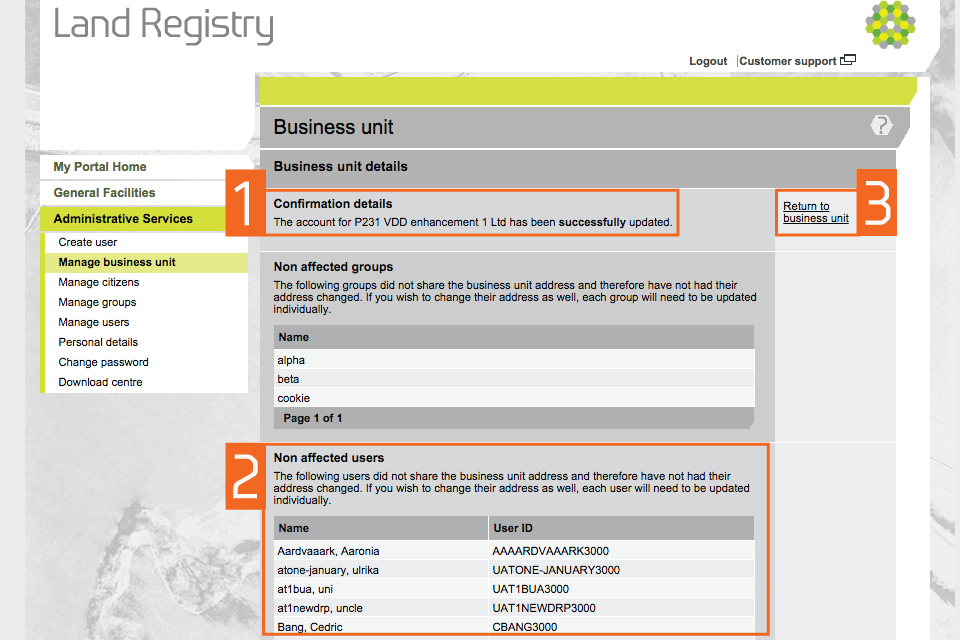
Confirmation
- This shows confirmation of the update.
- If there are any groups or users who did not share the business unit address, they will appear in the ‘Non affected users’ section. If these user accounts need to be updated, this can be done individually.
- Select ‘Return to business unit’.
Note: this does not change the address HM Land Registry sends documents to when they cannot be despatched electronically.
These are sent to the postal or DX address associated with an authorised user’s variable Direct Debit (VDD) key number or any alternative despatch address they have created.
You must inform us if the VDD account address changes to ensure that items despatched by post or DX are sent to the correct address.
Send an email including the necessary details including the VDD account key number to customersupport@mail.landregistry.gov.uk.
step 5
Change contact details and confirmation
Select ‘Change contact details’ to make amendments. Select ‘Save’ when all your changes are made.
Last screenshot
You’ll see a confirmation message when the changes have been successfully made.
Change ‘Document preferences’
- Select ‘Administrative Services’, then ‘Manage business unit’. This shows all the details relating to your business unit.
- To amend ‘Document preferences’, use the links on the right hand side, select ‘Change Document preferences’.
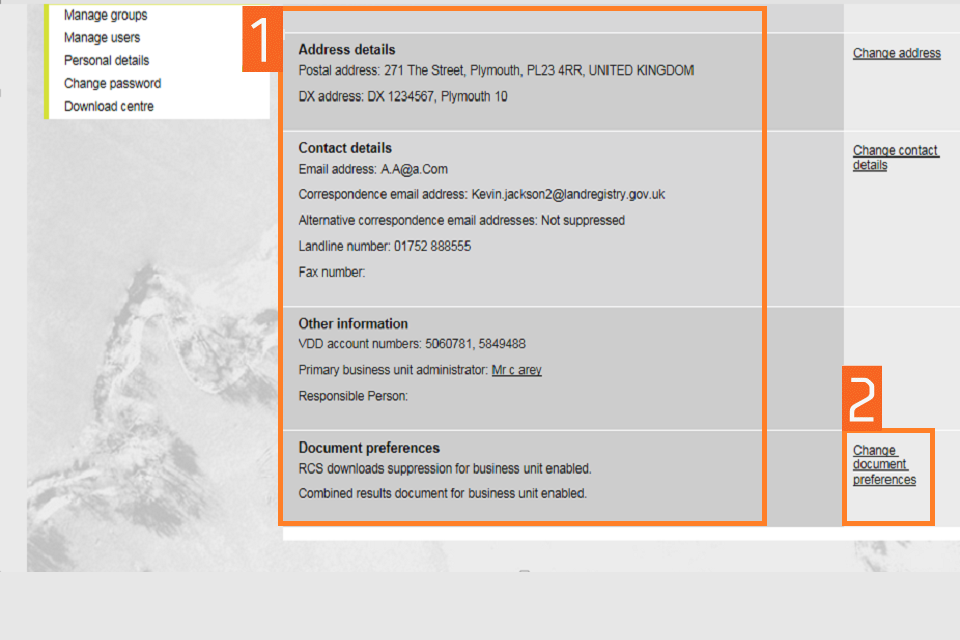
change document preferences 1
- You can amend your preferences to change how you receive the Register Completion Sheet (RCS) and Official Copies of the register.
- Select ‘Previous’ to return.
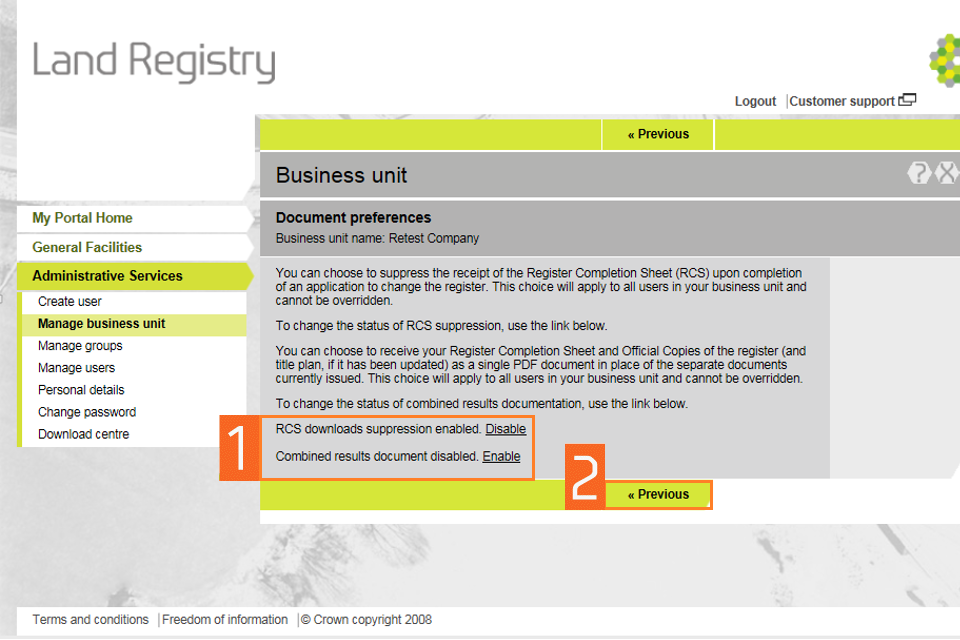
document preferences 2
You’ll see a confirmation message when the changes have been successfully made.
Logout
When you have completed your tasks, exit the system securely by selecting ‘Logout’ at the top of the screen.
Updates to this page
-
Information about 'Change document preferences' added.
-
First published.